True Sorted Inventory v0.6.0
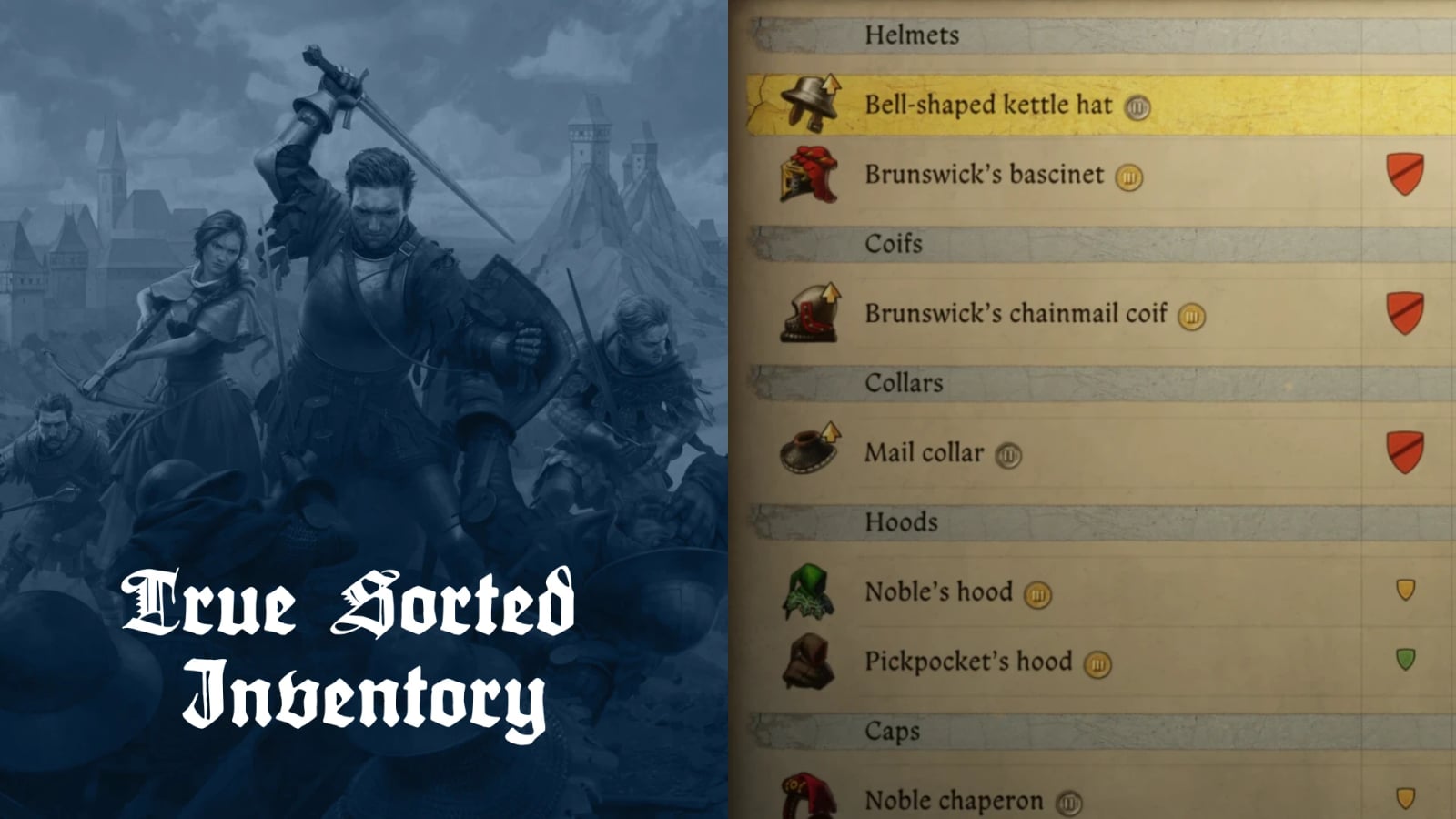
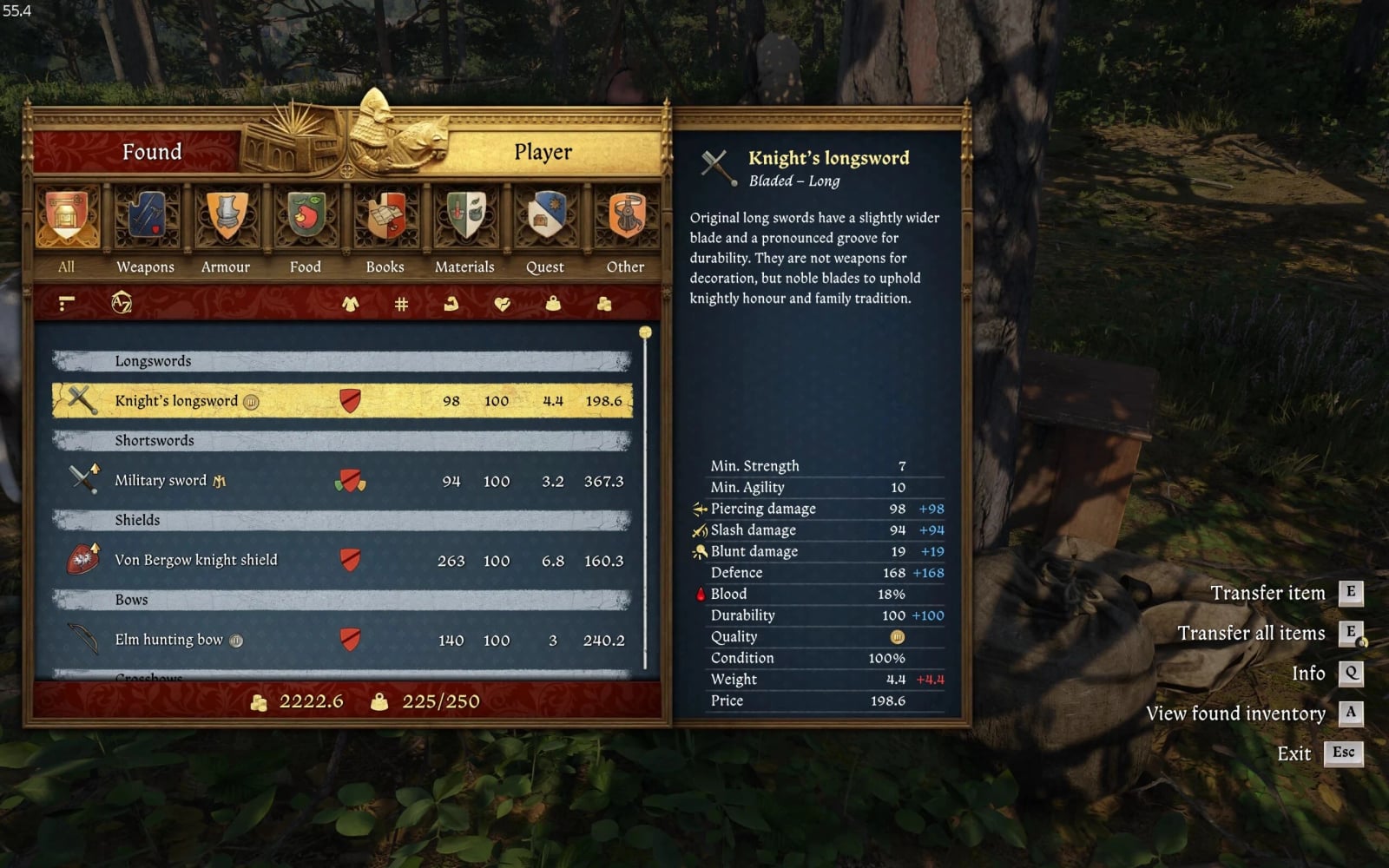
Improves inventory sorting by adding more groups and categories, without renaming items. The mod also adds item set badges, sorts alchemical products by quality, and can display cumulative stack weight and price.
Kingdom Come Deliverance II has more than 20 equippable slots, making inventory management more complex than in games with about four equippable slots. True Sorted Inventory groups items by their intended use instead of relying on renamed item names.
Features
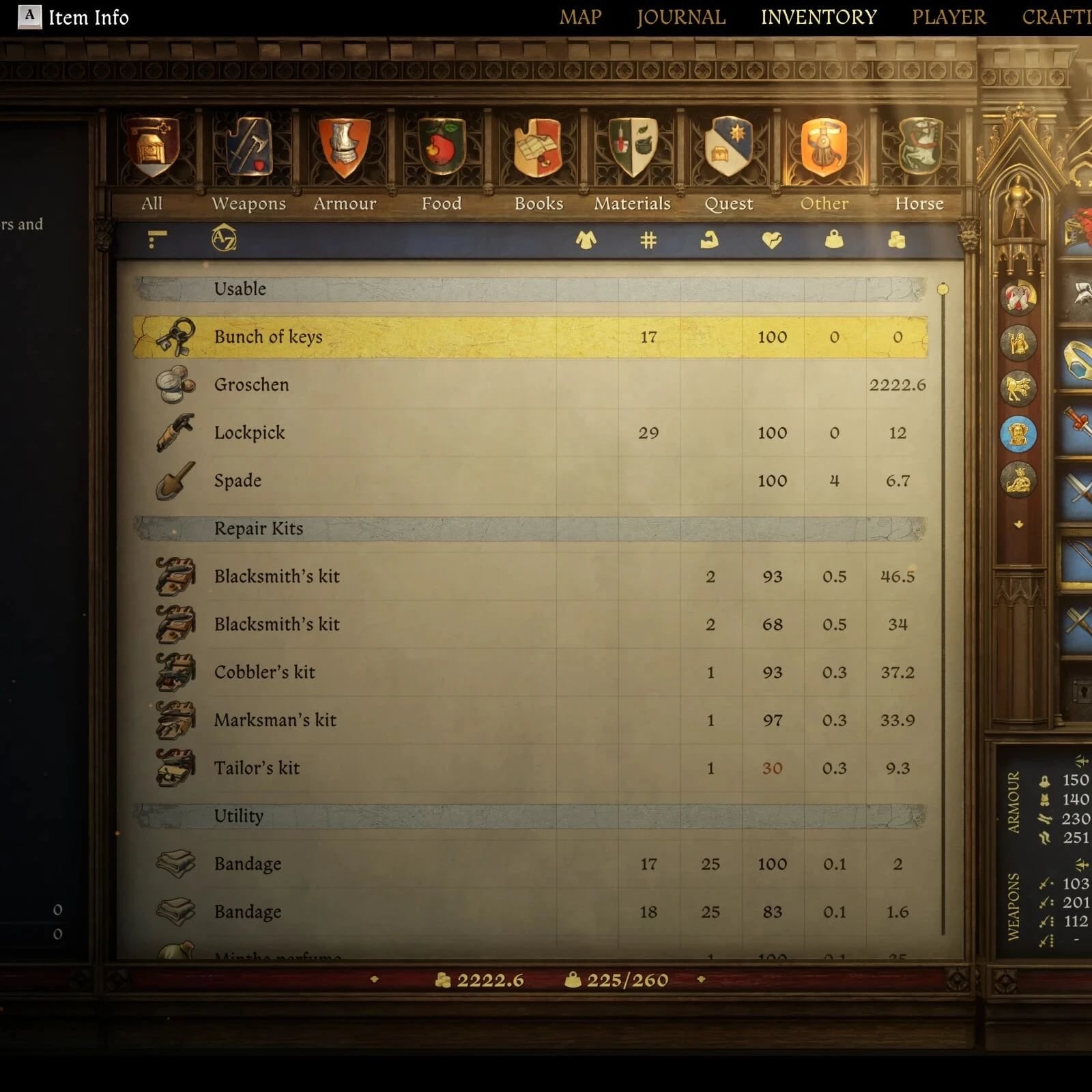
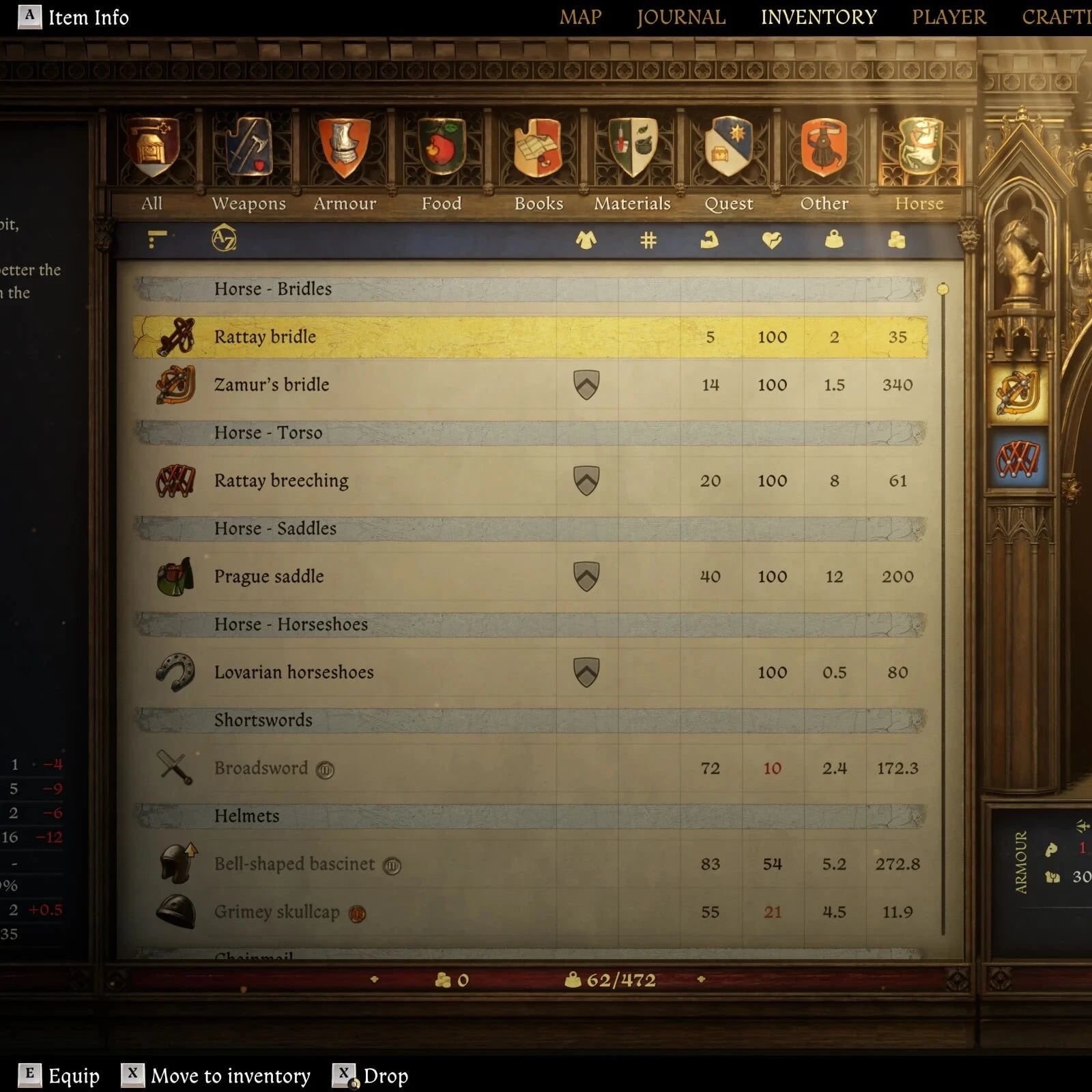
- Expands the vanilla inventory headings into more granular categories.
- Anything else that is not directly mentioned in the list below was not edited and stays as in vanilla. Women’s clothing is not affected since it is not equippable and retains its “Other Clothing” category.
Weapons:
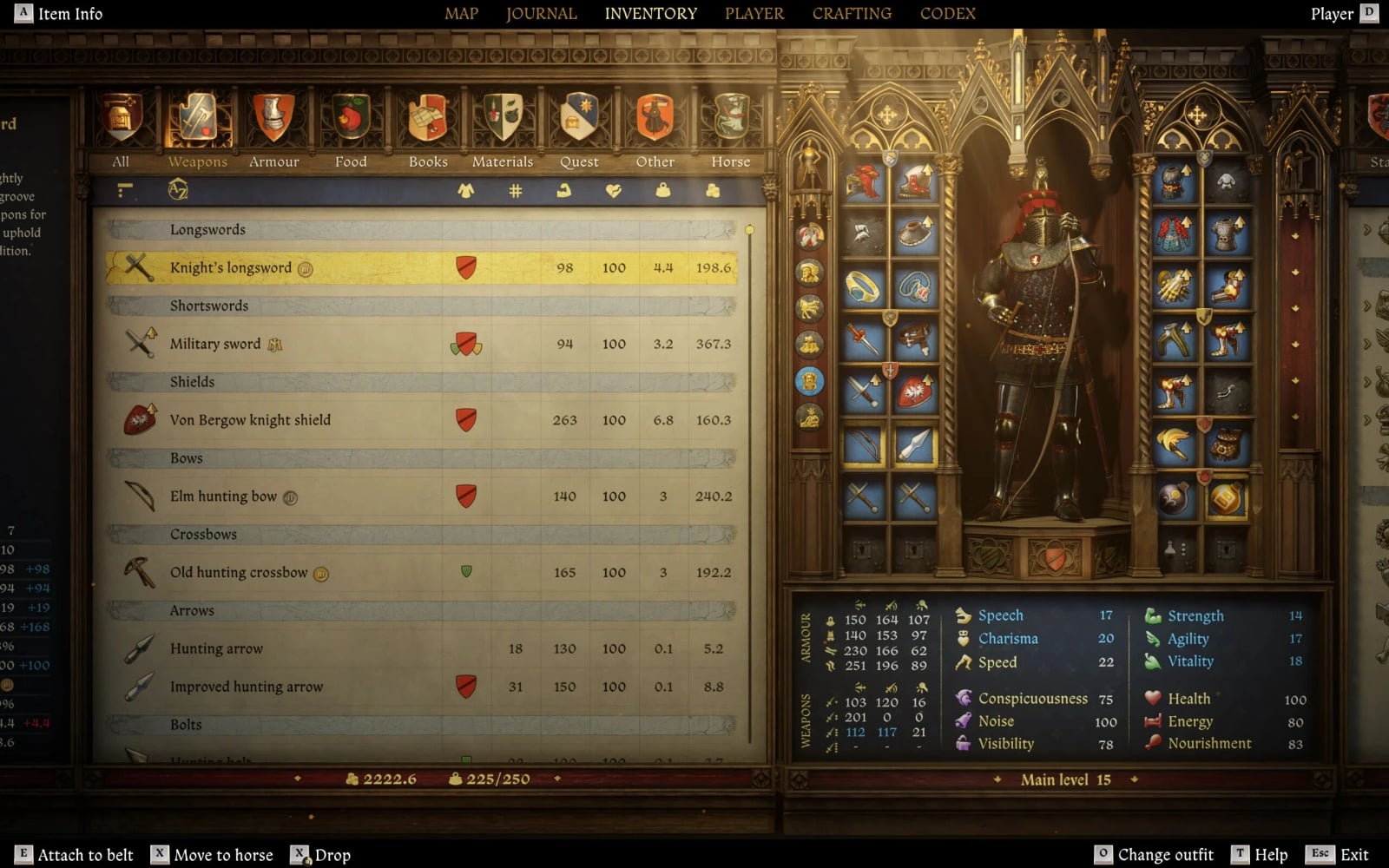
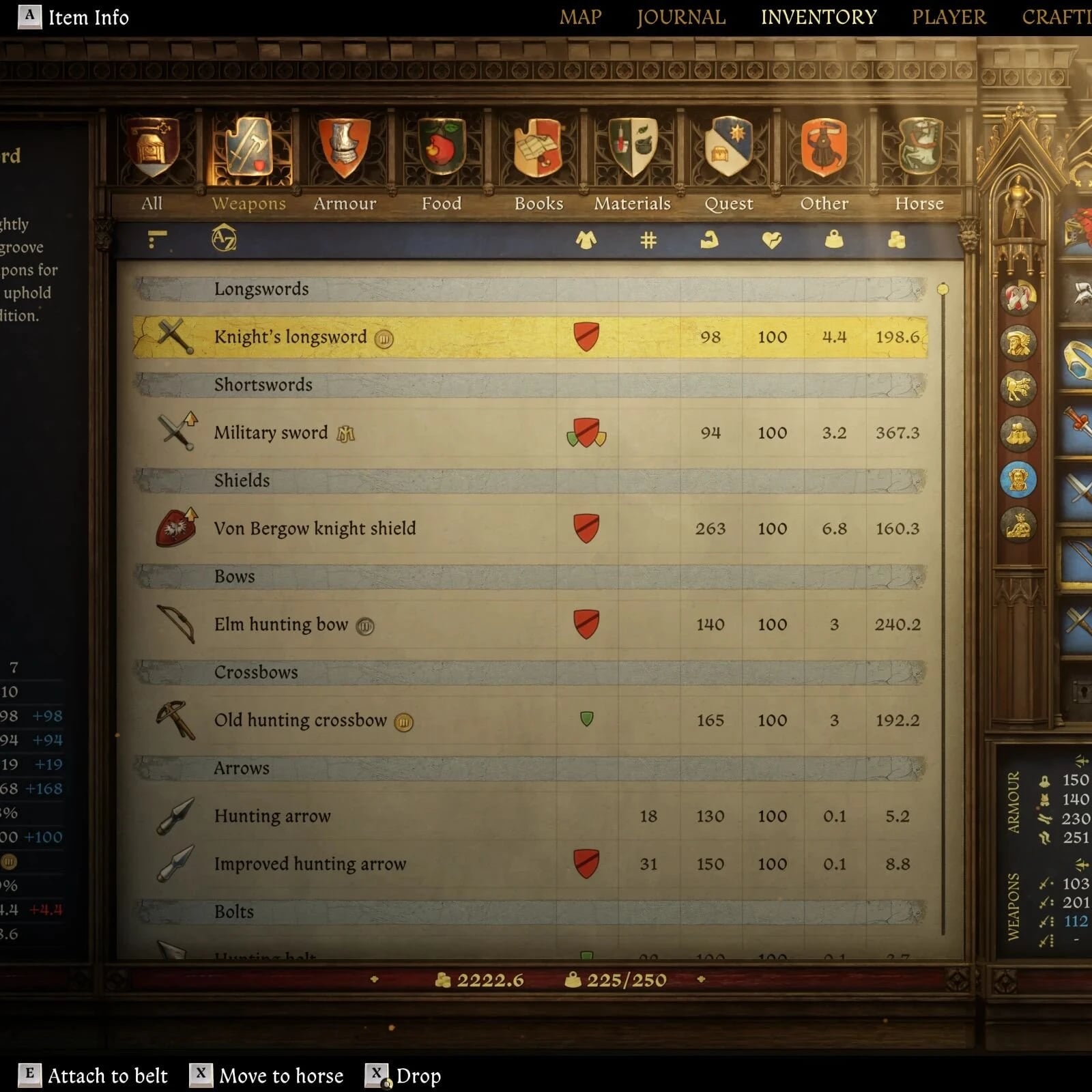
- Swords -> Longswords, Shortswords
- Blunt/Heavy Weapons -> Axes, Maces
- Shields -> UNCHANGED
- Polearms -> UNCHANGED
- Ranged -> Bows, Crossbows, Firearms
- Ammo -> Arrows, Bolts, Ammo
- Other Weapons -> UNCHANGED
Armor:
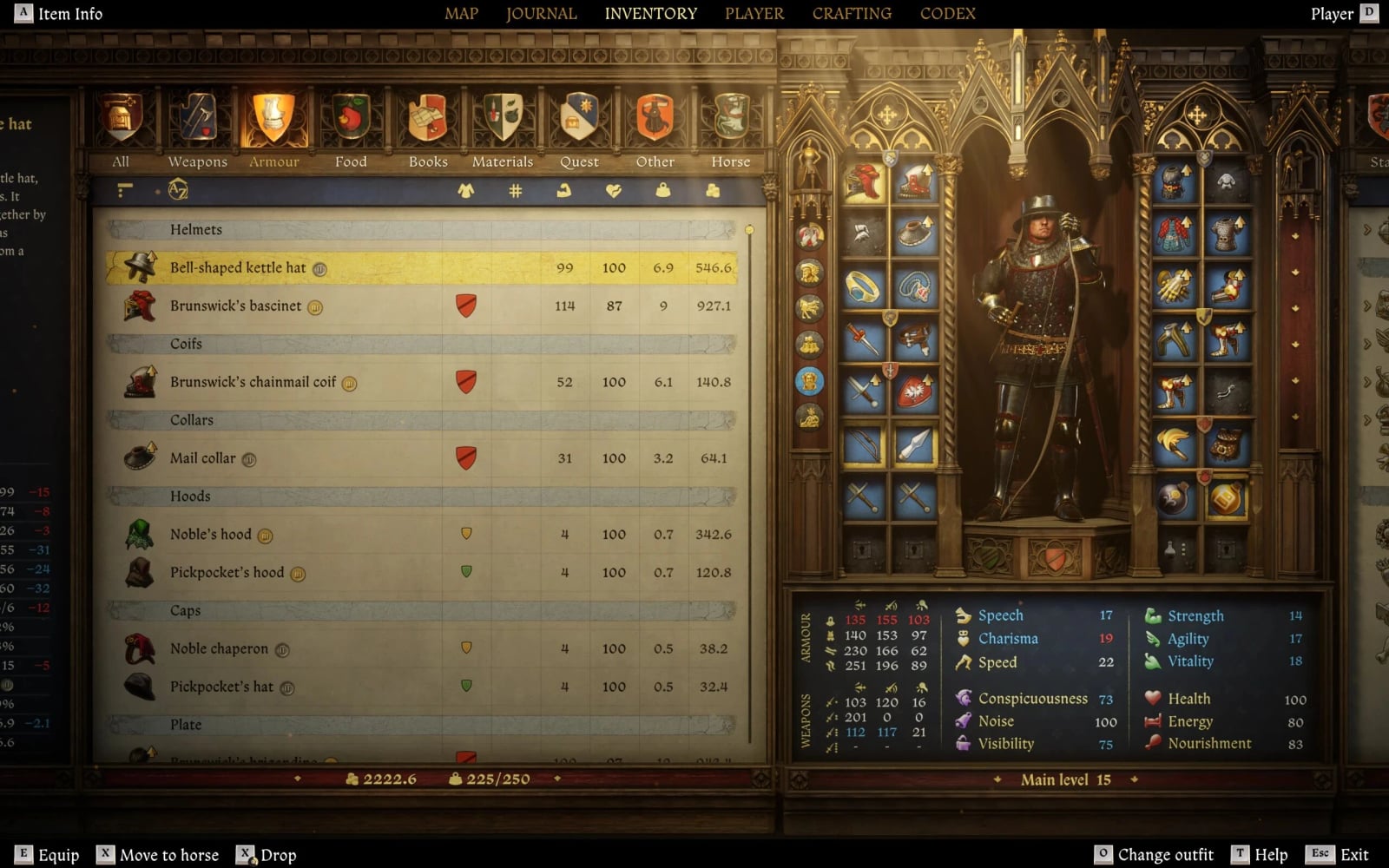
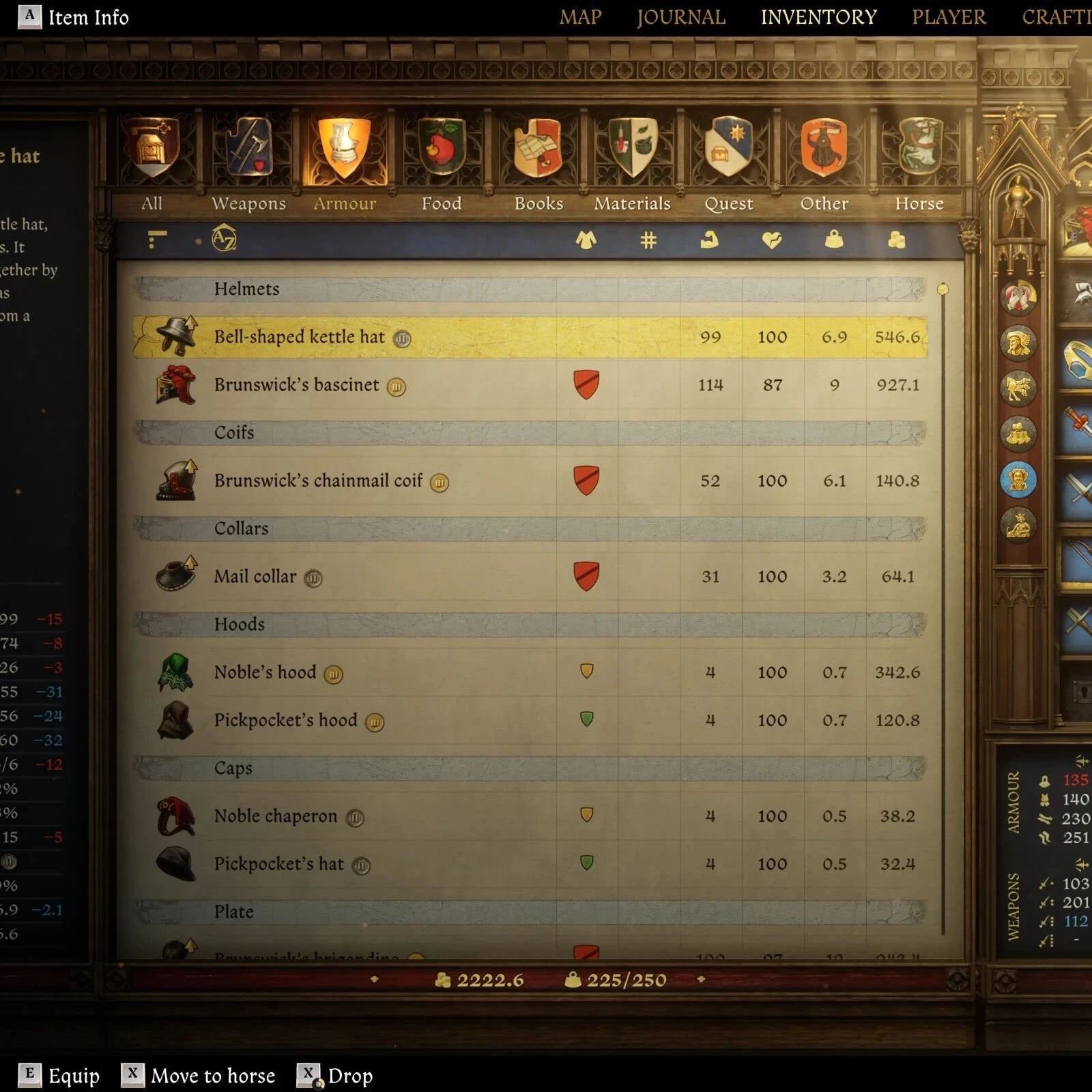
- Head -> Helmets, Coifs, Collars, Hoods, Caps
- Body -> Plate, Chainmail, Gambesons, Coats, Tunics, Belts & Pouches
- Arms -> Arms, Hands
- Legs -> Cuisses, Hoses, Shoes, Spurs
Horse Equipment:
- Horse -> Bridles, Torso, Saddles, Horseshoes
Other Items:
- Utilities -> Repair Kits, Utilities
- Alchemy -> Herbs, Dried Herbs, Alchemy
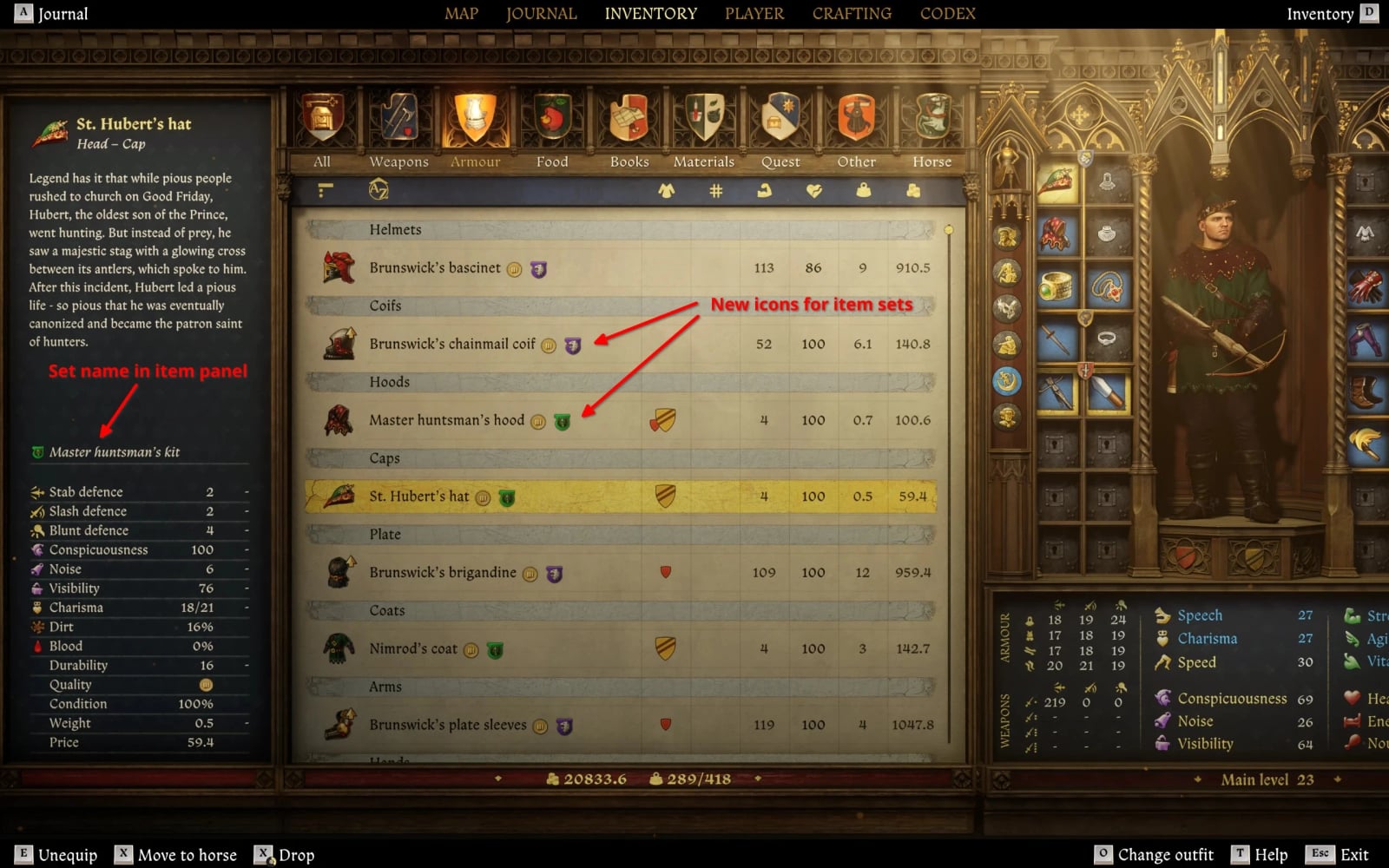
From v0.6.0, items belonging to an item set receive badges in inventory lists and the item details panel. Supported item sets are:
- The Brunswick Armor set from the “Lion Crest” DLC
- The Master Huntsman set from the “Gallant Huntsman” DLC
- The four shields from the “Shields of Season Passing” DLC
- The Warhorse Armor set from the PROS Twitch drops
- The Cutpurse’s armour set from the PROS Twitch drops
- This is a purely cosmetic edit of the inventory panels; items themselves were not edited in any way.
- The game does not appear to add any special attribute or tag to each item set, so the sets and their items were compiled manually. More sets may be added in the future, but the current list is the baseline for this feature.
- Unique items are not currently listed separately. The game does not tag them in a specific way, so listing them would require manually adding all of them.
From version 0.5.0, potions and other alchemical products are sorted by quality rather than purely alphabetically. The sorting checks items’ unique identifiers and uses no localization strings, so displayed names are preserved and the feature works in any language without additional translations.
Each potion’s regular version is sorted alphabetically among all other inventory items. Other quality tiers are listed close to the regular tier and sorted according to quality, including “Weak Saviour Schapps”, “Strong Saviour Schnapps”, and “Henry’s Saviour Schnapps”.
This feature affects all alchemy products that have different quality tiers: potions, poisons, and perfumes. NO OTHER ITEMS ARE AFFECTED.
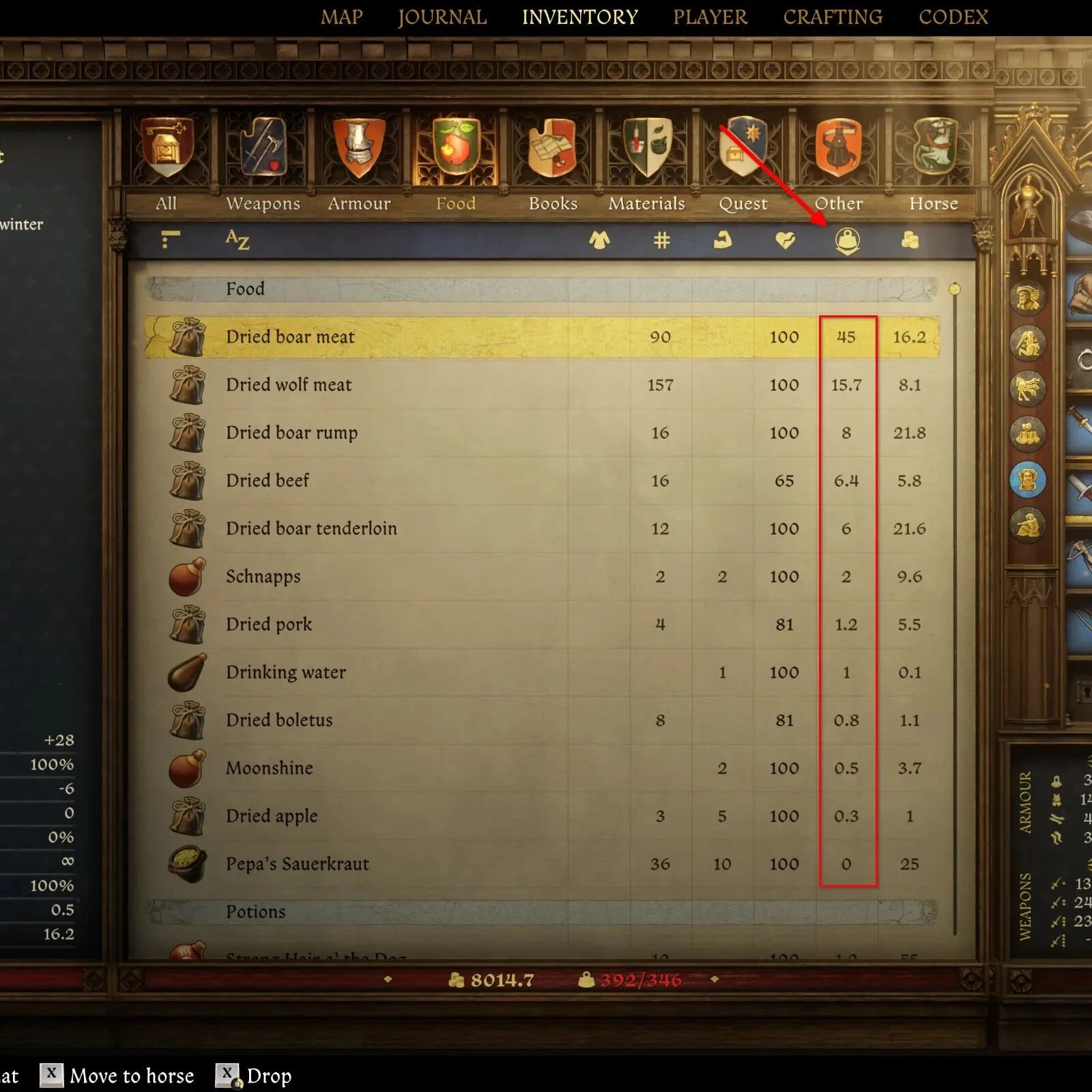
By default, the game displays unitary weight and prices, even for stacks of similar items. The mod adds cumulative total weight and price display modes when sorting by the corresponding column.
- When you sort by the “weight” column, the weight of the stack is cumulative.
- When you sort by the “price” column, the price of the stack is cumulative.
- When sorting by any other column, including the default “name”, vanilla unitary values are displayed. Sorting by weight will not stack prices, and sorting by price will not stack weight.
Compatibility
This mod makes edits to the following vanilla files:
Libs/UI/ApseInventoryList.gfxLibs/UI/ItemSelection.gfxLibs/UI/ItemTransfer.gfx
There should be no problems with any mod that is not editing the same files.
True Sorted Inventory handles all vanilla items with rules intended to place each item into its intended new category. Categorization is based on each item’s UIName attribute.
Since True Sorted Inventory cannot know custom UIName attributes added by other third-party mods, it cannot reliably categorize them unless a specific naming convention is followed.
If your mod adds new items and you want them categorized according to True Sorted Inventory rules, read the “GUIDE – Making other mods compatible with TSI” document available in the downloads section. It contains the information needed to ensure compatibility.
Items added by other mods work in-game whether they are made compatible with TSI or not. If they are not compatible, they retain their vanilla category, but there are no gameplay problems.
Installation
- Unpack the archive into
/path/to/Kingdom Come Deliverance II/Mods/. - Run the game.
Requirements
All languages supported by the game are included. No third-party translations are needed.
Compatibility with Kingdom Come Deliverance
If you are playing KCD1, A Real Sorted Inventory (ARSI) by Linkester brings this functionality to the first game.