LuaDB v0.1.7
LuaDB is a SQLite-based Lua persistence module for Kingdom Come: Deliverance II mod developers. Regular mod users should only install it if another mod requires it.
Features
- Stores Lua data, including tables, booleans, numbers, and strings, in an SQLite database.
- Global storage persists data across all game saves and game restarts.
- Save-associated storage binds data to a specific game save file, with automatic saving and loading.
- Provides an easy-to-use Lua API with both the original
LuaDBinterface and the object-orientedDB.Createinterface. - Supports Lua objects encodable by
json.lua. - Uses external storage in
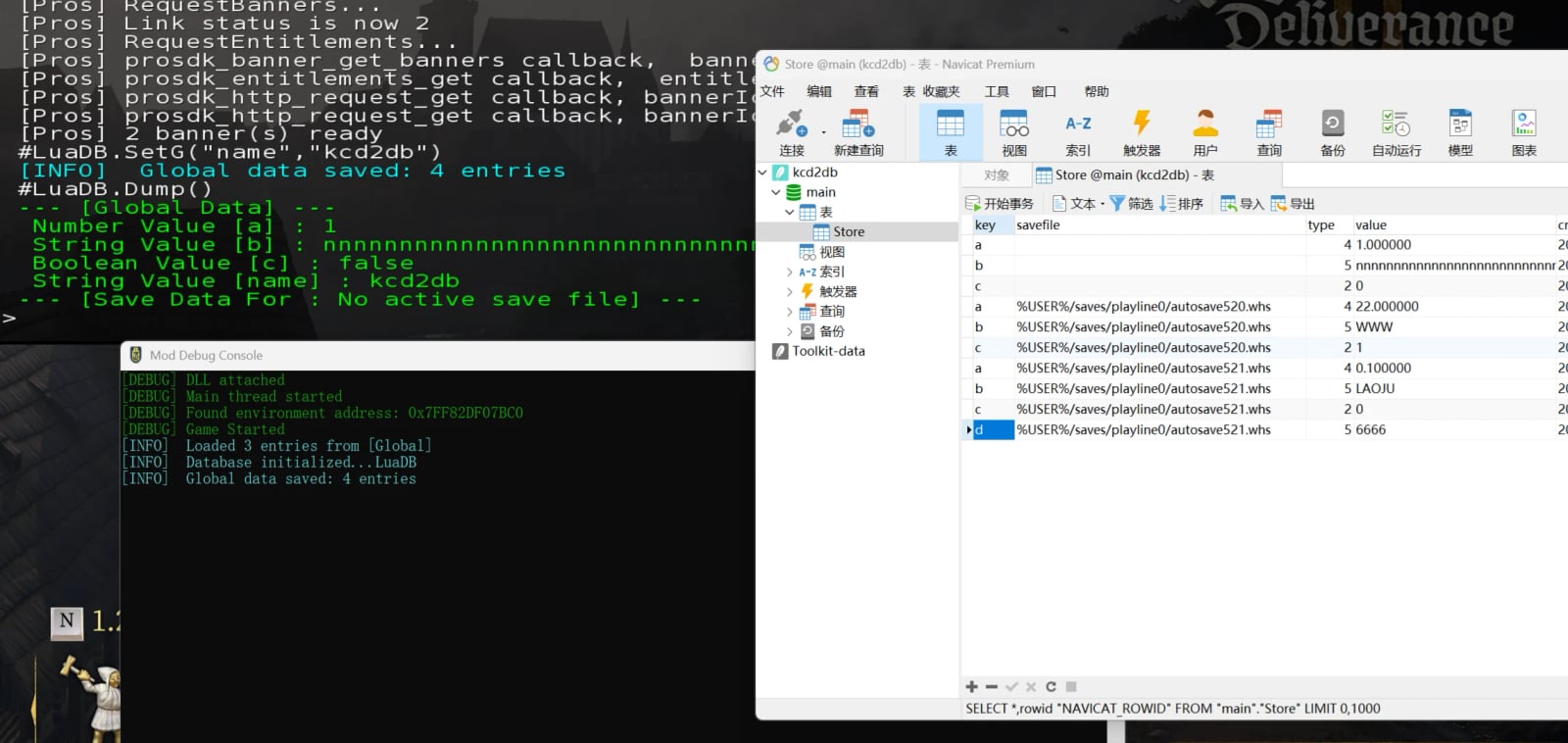
kcd2db.db, minimizing the risk of data corruption. - Provides debugging tools, including
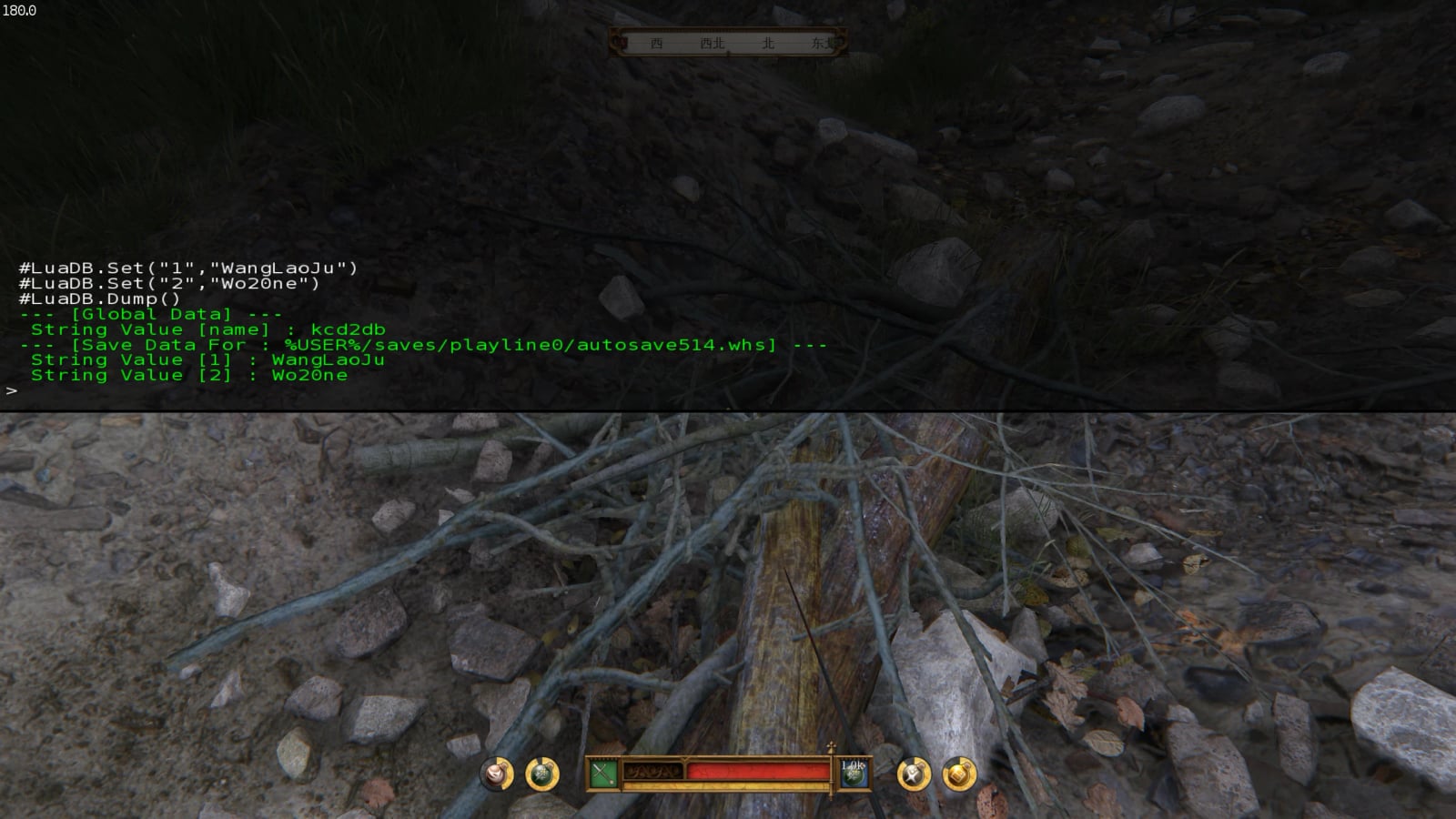
LuaDB.Dump(),kcd2db.log, and the SQLite databasekcd2db.db. - Use cases include mod settings, player progress, inventory and outfit data, and complex data structures such as tables and arrays.
Installation
- Requires Ultimate ASI Loader, included in the download.
- Place the
.asifile of this mod and the ASI loader, the.dllfile, into the game’s root directory. This is the folder containingKingdomCome.exe, located atKingdomComeDeliverance2BinWin64MasterMasterSteamPGO.
Linux users: For Proton/Wine, add this to your Steam launch options:
WINEDLLOVERRIDES="dinput8=n,b" %command%
Storage modes
- Global Storage: Persists data across game saves. Global APIs end with
Gand have automatic save and load. - Save-associated Storage: Data is bound to game save slots with automatic save and load synchronization.
- Local data is automatically saved when the game is saved and automatically loaded when the game loads that save.
How to use
Use DB.Create("ModName") to create a database object for your mod. Data is automatically converted to JSON for storage and back to Lua objects when retrieved.
Example:
YourMod = YourMod or (function()
-- Make LuaDB an enhancement for mods, allowing users to opt for LuaDB to achieve persistence.
local db = LuaDB and DB and select(2, pcall(DB.Create,"YourMod"))
return {
version = "__VERSION__",
localData = db and db.L or {},
globalData = db and db.G or {}
}
end)()
function YourMod:Init()
local settingA = YourMod.localData.settingA
local settingB = YourMod.globalData.settingB
-- do something with settings
end
function YourMod:Save()
YourMod.localData.settingA = "valueA"
YourMod.globalData.settingB = { a = 1, b = 2 }
-- save settings
end
function YourMod:DoSomething()
local settingA = YourMod.localData.settingA
local settingB = YourMod.globalData.settingB
-- do something with settings
-- update settings if something changed
YourMod.localData.settingA = settingA
YourMod.globalData.settingB = settingB
end
YourMod:Init()
API
DB API
-- Create a database instance (recommended for most use cases)
local myDB = DB.Create("MyModNamespace")  -- Use your mod name or unique identifier
-- Store Lua object (including nested tables)
myDB.Set("player_health", 85.6)
myDB:Set("has_dragon_sword", true) -- myDB allows both .call and :call syntax
-- Example with complex object
local config = {
difficulty = "hard",
weapons = {
sword = true,
bow = false
},
greeting = "hello world"
}
myDB.Set("player_config", config)
-- Retrieve data (automatically converts back to Lua objects)
local health = myDB.Get("player_health")
local config = myDB.Get("player_config")
-- Global APIs (Cross-save)
myDB.SetG("settings", {volume = 0.8, fullscreen = true})
local settings = myDB.GetG("settings") -- return table {volume = 0.8, fullscreen = true}
Methods
DB.Create("Your MOD")– Creates a namespace instance with the same API, automatically adding a prefix to all keys to reduce the likelihood of key conflicts. This method should always be preferred.DB.Get(key)– Get local key value.DB.Set(key, value)– Set local key value.DB.Del(key)– Delete local key value.DB.Exi(key)– Check if local key exists.DB.All()– Get all local key values.DB.GetG(key)– Get global key value.DB.SetG(key, value)– Set global key value.DB.DelG(key)– Delete global key value.DB.ExiG(key)– Check if global key exists.DB.AllG()– Get all global key values.DB.Dump()– Print all data.
All methods support both . call and : call syntax, which can be selected according to personal preferences.
Quick access
DB("Your MOD")– Equivalent toDB.Create("Your MOD").DB.key/DB["key"]– Access local key value. If it has the same name as an existing method, it will cause a conflict, resulting in the return of the function instead of the data.DB.L.key/DB.L["key"]– Access local key value without conflict.DB.G.key/DB.G["key"]– Access global key value without conflict.
Original API
-- Store data (automatically bound to current save)
LuaDB.Set(key, value)
-- Retrieve data
local value = LuaDB.Get(key)
-- Delete data
LuaDB.Del(key)
-- Check key existence
local exists = LuaDB.Exi(key)
-- Store global data
LuaDB.SetG(key, value)
-- Retrieve global data
local value = LuaDB.GetG(key)
-- Delete global data
LuaDB.DelG(key)
-- Check global key existence
local exists = LuaDB.ExiG(key)
Debug commands
-- View all stored data in console
LuaDB.Dump()
Supported data types
- Key: Must be a string in the LuaDB API. If using the DB API, any Lua object encodable by
json.luais acceptable. - Value: In the LuaDB API, values must be boolean, number, or string. If using the DB API, values can be any Lua object encodable by
json.lua, including boolean, number, string, and table.
Usage examples
-- Using the new OOP interface (recommended)
local modDB = DB.Create("MyAwesomeMod")
modDB.Set("player_stats", {
health = 100,
stamina = 85.5,
inventory = {"sword", "shield", "potion"}
})
-- Original API examples
LuaDB.Set("player_health", 85.6)
LuaDB.SetG("global_kill_count", 42)
-- View data in console
LuaDB.Dump()
Notes
- Namespace names cannot contain colons.
"namespace:"will be used as a key prefix in the database to isolate data from different mods. - When the key name is the same as an existing method, direct access will call the method instead of the key value. Use
.Lor.Ginstead. - All values will be automatically JSON encoded and decoded. The game has built-in
json.lua V0.1.1. - The JSON string size of a single object should not exceed 1 billion bytes, approximately 953MB. Otherwise, SQLite will report an error,
"string or blob too big", making it impossible to store. - When using
Dump(),$0~9in strings will be parsed as color codes by the console. The in-game console cannot display non-ASCII characters, and DEBUG log data will be truncated to prevent lag.
Debugging
- Uses the SQLite3 database named
kcd2db.dbin the game root. - Operation logs are stored in
kcd2db.login the game root. - Startup diagnostics include module detection and database path information.
- If launched with
-console, INFO/WARN/ERROR logs also appear in the console by default. - DEBUG logs remain in
kcd2db.logto avoid console spam. - Console log level can be changed with:
kcd2dbConsoleLog=debug|info|warn|error|off
If the mod fails to load or crashes on startup, include kcd2db.log when reporting the issue.
Compatibility and known issues
This mod heavily utilizes reverse-engineered game internals and may be affected by game updates. If experiencing crashes after game updates, try removing the mod file or rename the .asi extension to disable it.